Video Sources
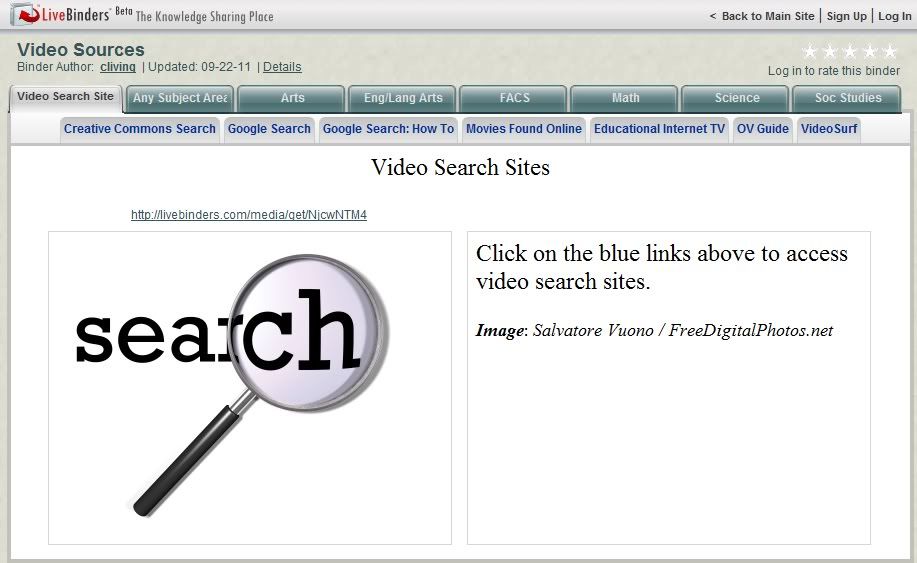
Perhaps some might find useful a LiveBinder of video sources I compiled for a workshop I did earlier this year.
Posted in Labels: bookmarks, Education, search, video, website links | at 9:55 AM
Perhaps some might find useful a LiveBinder of video sources I compiled for a workshop I did earlier this year.
Posted in Labels: art, audio, cartoon, ebooks, Education, geography, graphic organizer, Map, web applications, website links | at 10:08 AM
50 Sites in 60 Minutes ver. 2 will introduce you to 50 online tools to use in the classroom or for personal use. Sites included are appropriate for a variety of age levels. Tools are for audio, charts and graphs, digital art, digital storytelling, and several miscellaneous applications. Each slide includes a link to the site as well as a link a review of the site by David Kapular on his blog, Technology Tidbits: Thoughts of a Cyber Hero.
Posted in Labels: blog, Education, tutorials, web applications | at 7:50 AM
Though it may sound like it, Teacher Challenge is NOT a competition or contest--please read on!
Posted in Labels: Education, sharing, Twitter | at 7:14 PM
Do you just not "get" Twitter? I didn't when I first signed up...didn't use it for months. Now I'm following several people and learning so much and finding so many resources and articles and websites. I've learned that people have found all kinds of uses for it in their classrooms and in their professional lives.
What is Twitter, anyway? How do you get started? What do you do? How do you find people to follow? Do you wonder about these things when you think of Twitter? Well, here's a place to start getting answers.
To get you going, why don't you check out Centre for Learning and Performance Technology's FREE How to Use Twitter for Social Learning? You'll get everything from how to get started to how to find people to follow to ways to use it productively. (While you're there, look around. This is a great site.)
If you want more ideas, check out 31 Interesting Ways to Use Twitter in the Classroom (well, it's 31 today, but the count will be increasing!).
Speaking of "Interesting Ways," you might be interested in my earlier post on Tom Barrett's series.
Posted in Labels: Education, screen capture | at 7:24 AM
Do you ever use web page screenshots, either via digital delivery or on paper, to assist in teaching or training? I know I do. I utilize both Windows 7 Snipping Tool and Jing, but I think this tool is going to be one I will use frequently because of its additional features and ease of use.
Posted in Labels: blog, Education, sharing, website links, wiki | at 8:36 PM
I've been playing with a web tool called embedit. It's only useful if you have a website, but if you do, I'm sure you can think of some practical uses.
Upload any file* or use a link to an existing website to embedit.in for free.You will get the code to embed the document on your blog or other website, as the Aesop's Fable document below. (Don't know what to do with the code? Many blog or wiki hosts give the option of viewing/editing the HTML of your page Do all your other editing, leave a blank line above and below where you want the document and put your cursor in that spot. Switch to the HTML page and paste the code from embedit.in.)
If you don't want to embed the document, you can get the code to create a link that opens as an overlay over the page:
. . . or a thumbnail that does the same:
You can give the viewer the right to print or download the document.
You have the option of using embedit.in's red pen tool to annotate any page.
This is easiest way I've seen to make worksheets or reading assignments available to students on your website. If I were grading it, I'd give this site an A+ for ease of use and functionality.
Another feature of the embedit.in is Sitewide, which will "automatically convert all links to document on your website to embeds." I'll let you investigate that on your own if you're interested.
Dr. Jude Rathburn has a good post on embedit which includes some nice shots of the website and how to use it.
* I was unable to find a list of file formats that embedit.in accepts. The file I used was a Star Office document. I have seen an indication that it works with any file formats that Blackboard supports, including images, documents, and presentation slides.
Posted in Labels: audio, collaboration, Education, social networking, video, web applications, website links | at 11:38 AM
I've posted about this directory before, but Jane Hart of the Centre for Learning and Performance Technologies (C4LPT) has just updated it to reflect the many changes that have occurred since the creation of the original list.
The Directory of Learning Tools 2011 lists over 2000 tools for learning in education and the workplace.
If you're looking for a web-based tool, check it out!
Posted in Labels: cartoon, Education, video, web applications | at 1:30 PM
Voki is a cool site that will have your message spoken by a character you create. There are a variety of characters to choose from, and they can be customized. The message can be spoken from written text, as the example below, using your chosen voice, or you can use a phone or your computer's microphone to record the message. The site is FREE, and lesson plans are available as well. Students would love this!
Click the play button below to hear the message spoken from the text I entered.
Posted in Labels: bookmarks, Education | at 3:59 PM
Diigo certainly isn't a newcomer, so many may already at least be aware of it. If you have never checked it out, I would heartily recommend that you do so. I, like many others, have been using delicious for some time, though I also had a Diigo account. The talk about Yahoo dropping delicious led me to do some more investigation of Diigo, especially since I was set to do a training on social bookmarking. After learning just how much Diigo has to offer, I have moved all my bookmarks to my personal Diigo account and have just received approval of my application for a Diigo Educator premium account in preparation for the training.
Posted in Labels: 3D, Education, graphics, images, Map | at 4:25 PM
PRESENTATIONS ETC
On its Presentations ETC website, the Educational Technology Clearinghouse makes available "free backgrounds, templates, letters, frames, and buttons for school presentations, websites, class newsletters, digital scrapbooking, and student portfolios. Thousands of presentation elements and millions of combinations allow you to customize your school projects, electronic scrapbook, or eportfolio. A friendly license allows teachers and students to use up to 50 items in a single, non-commercial project without further permission."
| graphic of samples from the Presentations ETC website |
Posted in Labels: Education, iPod, video | at 9:46 AM
Thanks to Free Technology for Teachers for alerting me to SnipSnip.it! (If you're not reading Free Technology for Teachers or following them on Facebook or Twitter, you're missing out.) SnipSnip.it lets you easily clip a section of a YouTube video for sharing with others. This will be great for teachers, students, or presenters who want to use only a portion of a YouTube video in their projects. Use of the site is FREE and there is no registration required.
Posted in Labels: blog, Education | at 9:20 AM
Posted in Labels: audio, collaboration, Education, social networking, video, web applications, website links | at 9:00 AM
This Directory of Learning Tools from the Centre for Learning and Performance Technologies offers access to a listing of "over 2,000 Tools for Learning - for schools, colleges, universities and the workplace." Select your category from among the thirteen listed and you will be presented with an annotated listing of sites presented in a table format so that additional information can be given for each. For example, for Live Tools you can see which offer web conferencing, audio conferencing, video conferencing, screen/application/desktop sharing, remote access/control, live broadcasting, 3D/virtual worlds.
Posted in Labels: Education, fun, PDF, publishing | at 10:02 PM
Youblisher is an interesting site. It takes your PDF document and makes it into a flippable online document. The site requires registration, but it is 100% free.
Posted in Labels: Education, Google, search, tricks/ tips | at 9:20 AM
I keep learning more about some of Google's features and wonder why I never found them before. Some of them would have made my searches more efficient.
Perhaps you, like me, already knew about define:. In case this one is new to you, entering define:abstruse will list definitions of "abstruse" from a number of web sources.
Here are some more (notice that there is no space between the colon and the web page URL or term) :
link: will give you a listing of the web pages with links to the website you specified, for example, link:www.lumosity.com. This was also an advanced operator we used years ago in AltaVista and is one way to check the validity of the information provided on a website.
allintitle: will give you a list of all the websites with all of the specified query words in their title. For example, allintitle:brain games will give you a list of all websites with both "brain" and "game" in their titles.
intitle: will list documents that contain the first word in their title. Including a second word will limit the listing to those sites which also contain that word anywhere in the document. For example, intitle:prezi teach will result in a listing of all sites with "prezi" in the title and the word "teach" or "teacher" or "teaching" in the page text or title.
allinurl: and inurl: work exactly like allintitle: and intitle:, except that they look in the URL (Internet address) for the search term. For example, try inurl:washington rainforest to find websites that have "washington" in the URL and "rainforest" or "rain forest" either in the title or on the page.
related: will show a list of websites similar to the specified site. Entering related:mindomo.com will give you a listing of other websites which also create mind maps. I think this one in particular will really be useful!
There's much more power in Google than I've been taking advantage of. I'll have to see what else I've been missing.
Read Users' Comments (1)comments
Posted in Labels: collaboration, Education, PDF | at 8:32 PM
If you ever need or want to edit, comment on, or fill in a PDF document...or for that matter, Word document, PowerPoint document, PNG or JPG image, or web page...then you might want to check out crocodoc. You simply upload the file, or enter the URL of a website to create a snapshot. Then you can insert comments or text, strike through or highlight text, or draw on the image. Your document will be stored by crocodoc and can be downloaded as a PDF. Additionally, you can choose to share the document for collaboration. You can view and try out crocodoc's features on the website.
Posted in Labels: bookmarks, Education, website links | at 10:58 PM
This post is a twofer. You get a new tool for organizing links and an impressive resource for finding web 2.0 tools for specific purposes.
First the FREE tool. LiveBinders lets you organize your links and web-based media in a digital three-ring-binder. It has a compact interface that's easy to use and understand. You can place web pages, videos, PDFs, or images on a tab; or your tab can identify a category and include links to related information. There are several examples on the site's homepage, but I want to share another one with you.
Posted in Labels: Education, gmail, Google, tricks/ tips | at 10:03 AM
Did you know that you can actually "generate" multiple email addresses using one Gmail address? While some sites won't recognize them, Gmail will ignore when delivering messages to you anything following periods or a plus sign. This means that anything addressed to you as youraddress...1@gmail.com, youraddress..ab@gmail.com, or youraddress+mile38@gmail.com will be delivered to your youraddress@gmail.com inbox.
I had seen this recommended as a possibility for creating multiple student accounts on application sites and this morning looked it up for someone who requested my assistance. Rather than plagiarize the information from blog posts I read this morning, here are the links to them:
Use Gmail Generate Unlimited Email Addresses includes several other uses for this feature.
2 hidden ways to get more from your gmail address
Posted in Labels: advertising, barcodes, Education, iPod | at 9:19 AM
Posted in Labels: Education, video, YouTube | at 2:41 PM