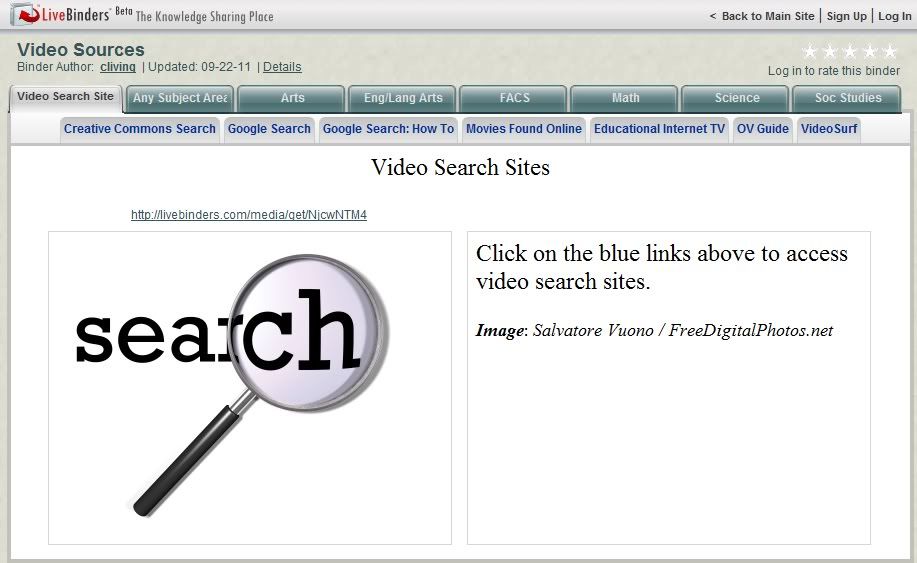
Perhaps some might find useful a LiveBinder of video sources I compiled for a workshop I did earlier this year.
It includes hundreds of sources categorized by discipline as well as some links for searching. Sites provide FREE videos, though some may also include videos available for a fee.
If you haven't found LiveBinders yet, you might find it useful as well. It's a great way to organize links and to make them available to others. The fact that most (unless the site must be viewed in its own window) will display right on the LiveBinders page can be a benefit in some circumstances as well. It's FREE to use if you wish to create your own binder (public or private), and a search can bring up some great binders which have been created by others.
I'm always on the lookout for good listings of websites, and this one via Twitter was a real gem of a find! It brought to my attention another blog to follow: The Innovative Educator: Way out of the box!
The sites included on the 100 Video Sites Every Educator Should Bookmark post are categorized by Educational Video Collections
General Video Collections
Teacher Education (my personal favorite, Teacher Training Videos, is included here)
Lesson Planning
Science, Math and Technology
History, Arts and Social Science
Video Tools
Network and Program Videos
Free Movies and Clips (free is good!)
How- Tos
Government Organizations.
If this listing doesn't appeal to you, you ought to take a look at the blog anyway. There's some pretty great stuff there!
50 Sites in 60 Minutes ver. 2 will introduce you to 50 online tools to use in the classroom or for personal use. Sites included are appropriate for a variety of age levels. Tools are for audio, charts and graphs, digital art, digital storytelling, and several miscellaneous applications. Each slide includes a link to the site as well as a link a review of the site by David Kapular on his blog, Technology Tidbits: Thoughts of a Cyber Hero.
If you're interested in finding new web tools, you may want to follow his blog.
This slideshare presentation is a good example of the great finds I receive in my e-mailbox as a member of Diigo's Web Tools for Educators group. (Read my post on Diigo here.) If you'd like to see what great web tools others find, just create a FREE Diigo bookmarking account and join the Web Tools for Educators group.
I've been playing with a web tool called embedit. It's only useful if you have a website, but if you do, I'm sure you can think of some practical uses.
Upload any file* or use a link to an existing website to embedit.in for free.You will get the code to embed the document on your blog or other website, as the Aesop's Fable document below. (Don't know what to do with the code? Many blog or wiki hosts give the option of viewing/editing the HTML of your page Do all your other editing, leave a blank line above and below where you want the document and put your cursor in that spot. Switch to the HTML page and paste the code from embedit.in.)
If you don't want to embed the document, you can get the code to create a link that opens as an overlay over the page:
. . . or a thumbnail that does the same:
You can give the viewer the right to print or download the document.
You have the option of using embedit.in's red pen tool to annotate any page.
This is easiest way I've seen to make worksheets or reading assignments available to students on your website. If I were grading it, I'd give this site an A+ for ease of use and functionality.
Another feature of the embedit.in is Sitewide, which will "automatically convert all links to document on your website to embeds." I'll let you investigate that on your own if you're interested.
Dr. Jude Rathburn has a good post on embedit which includes some nice shots of the website and how to use it.
* I was unable to find a list of file formats that embedit.in accepts. The file I used was a Star Office document. I have seen an indication that it works with any file formats that Blackboard supports, including images, documents, and presentation slides.
I've posted about this directory before, but Jane Hart of the Centre for Learning and Performance Technologies (C4LPT) has just updated it to reflect the many changes that have occurred since the creation of the original list.
This Directory of Learning Tools from the Centre for Learning and Performance Technologies offers access to a listing of "over 2,000 Tools for Learning -for schools, colleges, universities and the workplace." Select your category from among the thirteen listed and you will be presented with an annotated listing of sites presented in a table format so that additional information can be given for each. For example, for Live Tools you can see which offer web conferencing, audio conferencing, video conferencing, screen/application/desktop sharing, remote access/control, live broadcasting, 3D/virtual worlds. What a wonderful resource for both teachers (there is an Instructional Tools category) and students...as well as the general Internet-using population. I'm going to have fun mining this one!
This post is a twofer. You get a new tool for organizing links and an impressive resource for finding web 2.0 tools for specific purposes.
First the FREE tool. LiveBinders lets you organize your links and web-based media in a digital three-ring-binder. It has a compact interface that's easy to use and understand. You can place web pages, videos, PDFs, or images on a tab; or your tab can identify a category and include links to related information. There are several examples on the site's homepage, but I want to share another one with you.
If you're looking for a site to let you do animations or or comics or any of a number of tasks, see if you can't find something using the Digital Media Club LiveBinder, shown above.
LiveBinder would be a great way to provide links for students or for students to organize their research data since an individual user can have multiple binders.
I have always been on the lookout for places to find royalty-free, preferably Creative Commons licensed, video/audio/photo resources for my own and students' use, so I was excited to run across this sitepoint blog post with descriptions of and links to over 30 sites to explore. Some additional ones are mentioned in the comments, so you might want to check those out, too.
If I were still in the classroom, this one would get lots of use!
Teachers have a responsibility to acquaint students with copyright issues, stressing the importance of abiding by copyright restrictions and citing sources of all materials used that were created by others. This wiki initiated by a teacher to provide both information on copyright and sources of copyright-friendly (primarily Creative Commons licensed) resources is a great resource in and of itself for educators and others as well. I have it bookmarked and refer to it frequently.
Are you looking for an online app to use in the classroom or for personal use? I've always used a Google search to find Web 2.0 tools, but from now on I'll probably try Web 2.0: Cool Tools for Schools first. This is a wiki which provides links to cool Web 2.0 tools. Choose from the listed categories (e.g., presentation , converting, audio video, organizing, mapping) and you will be presented with an easy-to-read table of sites with a brief description of each.
Don't forget that since this is a wiki, you can add any cool tools you like that aren't already there.
The wiki does not include any kind of ranking, review or recommendation. This means you'll be trying everything out for yourself, but it does give you a quick starting point.
My intent with most of these posts is simply to introduce interesting sites and information I find, so that's what I did awhile back regarding Tagul and Wordle. If you were intrigued by the concept of Wordles but weren't quite sure how to use it (or Taguls) in the classroom, you might be interested in a wiki entry I just found. More Than Wordles has links to lots of sites with ideas for using Wordle in the classroom and for gifts, and some interesting ways to make them more attractive or communicative.
Here is a sampling of the ideas you'll find described in more detail by using the links on the More Than Wordles site:
As a starter activity for students to guess what the day's lesson will be about
Preview of an article to be discussed (as examples, above and to the right are a tagul and a wordle of a research article linked to from the More Than Wordles wiki):
Use for students to check their own work for repetitions (did they use any words too many times)
Enter an essay for an overview of what has and hasn't been included
Enter grade criteria so students can see main areas to concentrated their efforts
Combine students' class expectations to make a poster for the class
Find out what ideas were most important in a famous speech
Compare/contrast themes in two pieces of literature
Pre-reading (using the reading text) or post-reading (for discussion using students' responses to prompt) activity
Tagul is a FREE online app which will build a tag cloud using your own word list. The size of each word in the cloud is determined by its "weight," the number of times it appears in the list. Mouse-over a word, and it zooms to the front as a link. The Tagul default link is to a Google search for the word, but that can be changed. The process is far easier, though, if you use the default. In this case, a picture (well, flash movie) really is worth a thousand words, so here is a cloud I created in a cloud shape (also available are heart, four-pointed star, triangle, five-pointed star, circle and rectangle) with all words horizontal.
Tagul clouds are flash objects which can be imbeded on a web page, as this one is. I like them as a different way to present links for navigation.
Another FREE site, Wordle, is a bare-bones cloud creator without shape options or link capabilities, but it does produce a nice cloud very simply. A Wordle cloud can be printed or viewed on the wordle site. To use a cloud as an images requires capturing a screen shot and trimming it. A number of the clouds shown in the gallery were created by students. If you should decide to use it in the classroom, however, you will probably want to read "How to make Wordle safe for classroom use."
I think tag clouds would be a different way to graphically present typical bar-chart data where more precise relationships are not critical. It would be a fun way for students to enter poll or survey data (words) and see the results. Wordle would probably be better suited to this application, since Tagul's links would not be needed and might, in fact, be in the way. Wordle is also somewhat easier to use.
My daughter-in-law, who is doing her student teaching, just called. She's finishing up with her third-grade class and wanted to print a "candy award" certificate for each of the students in the class. In searching for some options for her, I found three FREE means of printing certificates.
First, because of its flexibility, is the Microsoft Office website. At the present, the site includes 299 templates for award certificates; most seem to be for PowerPoint, while some are for Word and a few for Publisher. Once downloaded, you can make any changes you wish to text, fonts, colors, and images. As templates, these would be available for your use at any time, and created awards could be saved to your computer.
The next is DLTK's Printables Custom Awards and Certificates. You can choose to create your certificate in either portrait (vertical) or landscape (horizontal) orientation. Then it's as simple as choosing or creating/uploading text and images for the template. The certificates seem to be more appropriate for elementary-age recipients. The site is very easy to use.
The final site, Certificate Creator, has a wider variety of certificate styles appropriate for any age or use, although I am not sure all are availabe without a membership. You can create certificates without registering (memberships begin at $12), but you will be unable to use the sites clip art library; change colors, fonts, and sizes, or open saved certificates. Be certain, as always, to read the Terms of Use.
If you'd like to look at other certificate creation sites, this Tooter4Kids page has a list of links.
"How do I integrate the Internet into my classroom curriculum?" The Curriculum Ideas section of the cyberbee website seeks to help answer this question for the vast number of teachers who have little extra time to search out curriculum-related websites. Included sites are organized by content area, cross-curricular, and teacher ideas, with a separate section for science fair ideas. Each curricular item leads to a listing of websites which fit that description. All the ones I checked were very good, and I recommend this site. Most of its hundreds of resources seem to be geared to elementary teachers, but some would also be appropriate for middle school.
In addition to the Curriculum Ideas, the site also has Postcards for students to send and pickup from the site, Research Tools to help students be better users of the Internet, Treasure Hunts, Web Links, Web Projects, and Web Picks. Check this one out. You'll be glad you did!
EduHound is the technology resource site provided by THE Journal. It provides links to Site Sets (collectioins of topic-based online education resources) on everything from Aaron Burr to Zoos. It includes an exhaustive list of categories including Grants & Funding, Lesson Plans, Museums, Reference, Social Studies, Software, Substitute Teaching, WebQuests, Worksheets, and many more. Links are also included to additional EduHound Websites; examples are Awesome Clipart for Educators (it has fonts, too!), and Educator Templates. This is a top-notch resource!
Word2Word is a collection of language-learning resources on the web...many languages, many formats...lessons, games, newspapers, blogs, and more.
byky (before you know it) has flash cards and lets you hear a native speaker say the word.
FSI (Foreign Service Institute) courses have been developed by the US Government for diplomats, soldiers, and other officials, and are in the public domain. Many recordings are from the 60's and 70's, but the material is still good and effective.
Livemocha has lessons (the free ones should be all you need), but the plus here is the inclusion of a social networking site so you can practice your skills with native speakers. You can also help those who are trying to learn English. It says it's designed for "all language goals and all skill levels." I might have to think about this one...
BBC Languages will help you learn a language in 12 weeks with lessons and weekly e-mail tips. Audio and video courses are available for several languages. Instruction uses conversation.
Does anyone have comments on any of these or other suggestions that work well?
I love to listen to books on my iPod: so convenient wherever I am, whatever I am doing. I have a long-standing subscription to Audible, but thanks to Kim Komando, I have recently found sites which offer free downloads.
Learn Out Loud has a good assortment of free audio (and also offers free video, though I haven't searched through that category).
Project Gutenberg, which I have used for years for online books, now also has free audio books.
If you want to see the myriad other sites offering free audio books, just use this Google search.
These two are unlike anything else I've encountered. The two of these could be used in tandem for a complete Bible study if you had access to no other resources.
The Treasury of Scripture Knowledge provides a "nearly exhaustive collection of cross references" (Preface to the edition included with my Logos Library System). I was delighted to find it on the Internet.
The second is the NeXt Bible Learning Environment. It must be seen to understand all that it does. Highlight a word for a concordance search. Choose the Greek/Hebrew tab for word-by-word access to information in the easiest form I have ever seen. A Discovery Box to the right of each scripture passage gives access to Background and History documents and to further information on Names, People and Places included in the passage. It has become my go-to site for Bible study.
The Internet has a wealth sites providing Bible study resources, which I will not attempt to cover to any large extent. I merely want to record the ones I have found most useful.
The online parallel Bible at biblos.com is the best of its type I've encountered. (use the link, not "biblos.com") It displays one verse at a time in multiple tranlations and versions, and It includes with each verse parallel commentaries as well. If you want to compare only two versions and see a chapte at a time, crosswalk does a good job, and includes many other study aids as well, including a concordance. It also has a Bible-in-a-year reading program which will, if you wish, chart your progress. Blue Letter Bible provides for each verse, when available, links to correlating verses; lexicon/concordance; commentaries (audio and text); maps, images, and hymns; available translations and versions; and dictionary aids. Commentaries, audio and video, study tools, images and maps, devotionals, and free web tools, and other resources are also available. In addition, there is a daily Bible reading program which will take you through the Bible in a year (or 2) using your choice of available options. A number of Bible dictionaries are available at StudyLight. BibleGateway has a keyword search and a topical index. An interesting resource I have not seen anywhere else is Complete Bible Genealogy. I found some humor here, as well, as the site uses "Childs" to head the list of an individuals offspring.
There are several sites that provide a daily tidbit that can be for fun or edification. Most have code that can be added to a personal webpage and also are available for an RSS feed. Here are some that I enjoy. My favorites in each section are at the top.
Quote of the Day (examples included)
Daily Good – positive news and inspiration from around the world (“When a deep injury is done us, we never recover until we forgive.” Alan Payton.
![[One of the] Last of its kind](https://lh3.googleusercontent.com/blogger_img_proxy/AEn0k_t61QUkkmrc9ng_HeT3WFKUzEai-CNLgBEqNn_UKYc1PYxcmaAo3lGI9HtBJ2tFcTW9ClR4s--vHmPk6ZAFNJRBRlSeLXTupLt7G5shpZ5vzlBzTNpOiXYxRgrbJxWE=s0-d)





 Posts
Posts


