Showing posts with label video. Show all posts

Video Sources

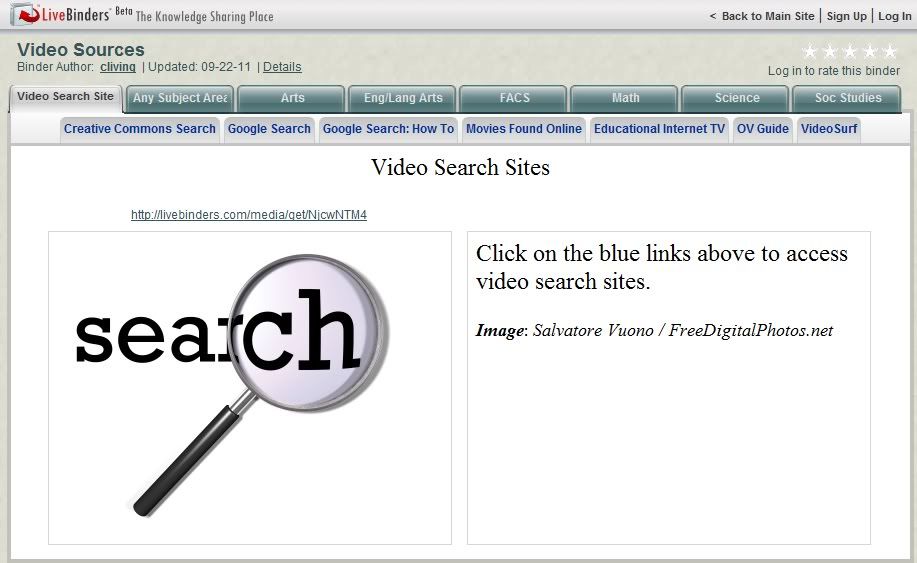
Perhaps some might find useful a LiveBinder of video sources I compiled for a workshop I did earlier this year. 

It includes hundreds of sources categorized by discipline as well as some links for searching. Sites provide FREE videos, though some may also include videos available for a fee.

If you haven't found LiveBinders yet, you might find it useful as well. It's a great way to organize links and to make them available to others. The fact that most (unless the site must be viewed in its own window) will display right on the LiveBinders page can be a benefit in some circumstances as well. It's FREE to use if you wish to create your own binder (public or private), and a search can bring up some great binders which have been created by others.

Read Users' Comments (0)

100 Video Sites Every Educator Should Bookmark

[One of the] Last of its kind
CC Licensed photo
by Clint Gardner
I'm always on the lookout for good listings of websites, and this one via Twitter was a real gem of a find! It brought to my attention another blog to follow: The Innovative Educator: Way out of the box!

The sites included on the 100 Video Sites Every Educator Should Bookmark post are categorized by Educational Video Collections
General Video Collections
Teacher Education (my personal favorite, Teacher Training Videos, is included here)
Lesson Planning
Science, Math and Technology
History, Arts and Social Science
Video Tools
Network and Program Videos
Free Movies and Clips (free is good!)
How- Tos
Government Organizations.

If this listing doesn't appeal to you, you ought to take a look at the blog anyway. There's some pretty great stuff there!

Read Users' Comments (0)

Directory of Learning Tools 2011

I've posted about this directory before, but Jane Hart of the Centre for Learning and Performance Technologies (C4LPT) has just updated it to reflect the many changes that have occurred since the creation of the original list.

The Directory of Learning Tools 2011 lists over 2000 tools for learning in education and the workplace.

If you're looking for a web-based tool, check it out!

Read Users' Comments (0)

Voki

Voki is a cool site that will have your message spoken by a character you create. There are a variety of characters to choose from, and they can be customized. The message can be spoken from written text, as the example below, using your chosen voice, or you can use a phone or your computer's microphone to record the message. The site is FREE, and lesson plans are available as well. Students would love this!

Click the play button below to hear the message spoken from the text I entered.

Read Users' Comments (0)

SnipSnip.It

Thanks to Free Technology for Teachers for alerting me to SnipSnip.it! (If you're not reading Free Technology for Teachers or following them on Facebook or Twitter, you're missing out.) SnipSnip.it lets you easily clip a section of a YouTube video for sharing with others. This will be great for teachers, students, or presenters who want to use only a portion of a YouTube video in their projects. Use of the site is FREE and there is no registration required.

All you have to do is to paste the URL of the YouTube video into the provided box on the SnipSnip.it website and press Enter. Play the video to determine and enter the beginning and ending times of the clip you want. You will be give a code to embed the clip on a webpage and a link to view the clip on the SnipSnip site. I extracted a clip from the How to use a Flip YouTube Video Camera YouTube video to include only some basic tips for those taking videos. I have embedded the clip below, and you can view it on the SnipSnip site by clicking here.

cropped with SnipSnip


The resulting video is in the Flash format, which may limit its availability for viewing in some instances.

Read Users' Comments (0)

Directory of Learning Tools

This Directory of Learning Tools from the Centre for Learning and Performance Technologies offers access to a listing of  "over 2,000 Tools for Learning - for schools, colleges, universities and the workplace." Select your category from among the thirteen listed and you will be presented with an annotated listing of sites presented in a table format so that additional information can be given for each. For example, for Live Tools you can see which offer web conferencing, audio conferencing, video conferencing, screen/application/desktop sharing, remote access/control, live broadcasting, 3D/virtual worlds.

What a wonderful resource for both teachers (there is an Instructional Tools category) and students...as well as the general Internet-using population. I'm going to have fun mining this one!

Read Users' Comments (0)

Download Tube

I know I've posted before...twice...about sites that let you download videos from YouTube and other sites, but this is my new favorite. And I found it just in time for my next workshop!

Download Tube lets you "download online videos direct to PC, iPod, PSP, Mobile." You can convert to .mpg, .mov, .3gp (Mobile), .flv (Flash), .mp3 (audio only), .mp4 (iPod/PSP/iPhone). What more could you ask?

All you have to do is to get the URL of the video, paste it in the box, and the video will be converted and downloaded, ready for you to view offline or add to a presentation.

Related posts:
Saving YouTube Videos
Saving YouTube Videos (Post #2)

Read Users' Comments (0)

30+ Places to Find Creative Commons Media

I have always been on the lookout for places to find royalty-free, preferably Creative Commons licensed, video/audio/photo resources for my own and students' use, so I was excited to run across this sitepoint blog post with descriptions of and links to over 30 sites to explore. Some additional ones are mentioned in the comments, so you might want to check those out, too.

If I were still in the classroom, this one would get lots of use!

Read Users' Comments (0)

Saving YouTube Videos (post #2)

There are several reasons someone might wish to have a YouTube video on a hard drive rather than viewing it from the YouTube website. Perhaps YouTube is blocked, as it is in many schools, or perhaps the video needs to be shared where there will be no Internet access; maybe it would simply be better to have it stored locally for use in a PowerPoint or other presentation.

I shared in an earlier post a site that would let you download YouTube videos. This post from Free Technology for Teachers provides descriptions of and links to some additional sites, as well as a link to alternatives to YouTube. This will give you some other options.

Free Technology for Teachers is another of my favorite blogs to watch.

Read Users' Comments (0)

DVD Ripping

I had occasion to extract video clips from an unprotected, copyright-free DVD a couple of weeks ago, and I found a simple, FREE program which fit my needs. Knowing teachers in particular might find it useful sometimes to pull clips for classroom use, I thought I'd share it here.

I looked at several options, but the one I ended up using because of its simplicity was bitRipper. As you can see from the screen shot at left, it has a minimalist interface. Most of us would never need to make any changes to the settings, but I did expand the Settings window for the image; otherwise, you work only with the smaller window. Those of you who, unlike me, know what you're doing, or who like to experiment, have the option of making some more advanced options about your output. I used bitRipper without making any changes to the default settings and had excellent results.

You choose your video clip by chapter from a drop-down list. Without titles, that can be a little tricky; however, I could choose mine from this DVD by its length. The video is converted to an AVI format and saved to your hard drive...and it's ready to play on your Windows computer. It really couldn't be any simpler!

I also found WinX Free DVD Ripper, which has additional functions. I didn't need any of these at the time, but I will keep it in mind for use if and when I do. This one will rip and convert to not only AVI, but also MP4, H.264, FLV, WMV, MPEG, MOV, or other popular video formats. It also gives the option of separating the audio from the DVD video, saving it as an MP3 file. It also supports capturing pictures from the video through screenshots.

If you want to insert the video in a PowerPoint presentation, the 2007 version will accept the following formats: ASF, AVI, MGP, MPET, or WMV.

Read Users' Comments (0)

JayCut

JayCut is an online video editor that is easy to use and fairly full-featured. The software allows you to remix and trim videos and images; add music, transitions, and effects; and add captions and subtitles.

With a FREE account, for non-commercial use only, you have 20 movie exports per month, 2 GB of storage, and 10 GB of streaming per month.  Your video can be viewed from the site, or you can export to YouTube and Facebook with a single click and can export videos for iPhone, Windows, and Mac.

If you want more help than is on the site, just Google "JayCut tutorial."

If you don't have access to Windows MovieMaker or Mac iMovie, Jaycut is a comparable editor. This would be an option for joint or individual student projects so the students could work from both home and school.

Read Users' Comments (0)

TenMarks Teacher Zone Math Videos

Image created using Spell With Flickr
TenMarks' Teacher Zone makes available FREE math video lessons for grades 3-10 based on state standards. All you have to do is to register for a free account.

Read Users' Comments (0)

Google Videos

Ran across an old post from Vicki Davis' Cool Cat Teacher Blog about searching for educational videos using Google video search. I checked it out and found some really good resources. Rather than recreate it, here's the link to How to Search Educational Videos.

If you're interesting in using technology effectively in the classroom, Davis' blog would be a great one to follow.

Read Users' Comments (0)

Royalty Free Music

 There have often been times when I needed some music to add to a video, Photo Story 3 creation, or PowerPoint slide. If I didn't have the right style or sound, or if I wanted a clip to fit a short span, I found one website which often fit the bill, but that was about it. The advent of the Creative Commons license, however, has brought about some new alternatives. In finding music for projects, you have to be careful about giving students too may options, especially if they're like me. The less structured the site, the more time I spend listening to find just the right music. The first two sites listed provide a method of narrowing down your options, which helps. If you have some time, though, browsing through these can be kind of fun.

Freeplay Music has been around for a long time, and still does very well what it sets out to do: provide short clips for video productions. It presents a large number of instrumental selections in wide variety of styles and moods. Each composition is available in 10-, 15-, 20-, 30-, and 60-second clips, very useful for video broadcast productions. You can search by style (e.g. ambient, baroque, drum & bass, funk) or feel (e.g. building/tension, cinematic, driving, hopeful), or you can browse through albums.

A newer player is in the royalty-free music game is Jamendo. This site is not designed for video production but could easily serve as a source for background music. Jamendo is a venue for artists to share their compositions and performances for others to use and enjoy. You can browse by artist or album, or you can select a "radio" for your choice of style (e.g. metal, jazz, lounge). If you scroll to the bottom of the home page, you will see an option to search using tags. This may be the easiest way to filter the content to find what you're looking for. Each piece has a brief description to help you see if it might be what you need or want. I've heard some nice music here.

Moby Gratis is a section of moby.com "for independent and non-profit filmmakers, film students, and anyone in need of free music for their independent, non-profit film, video, or short." You simply browse the text list by title, play, and download. If you want to use any of the selections for commercial purposes, you can apply for a license; otherwise it's free. You do have to create an account for Moby Gratis, and it asks for a lot of information, including address; I suppose this is so they will have the information needed if you want to license a work. You have to guess the style of music by title, but, again, there is some nice music here, though this site has a much more limited selection than the previous 2. It is also entirely textual.

The last site for today is ccMixter , "a community music site featuring remixes licensed under Creative Commons where you can listen to, sample, mash-up, or interact with music in whatever way you want." To search for music you'll actually go to digg.ccMixter. I have not thoroughly browsed this site, but there seems to be a lot here. I really liked the first instrumental I listened to, and it was something I would use.

I know there are other sites, but this is more than enough for today! Happy listening...or searching.
Read Users' Comments (0)

Zamzar

I have used Zamzar for a long time and just realized that I have never posted it here. This site will do a greater variety of conversions than most others I have seen and so can be quite useful.

This is my preferred site for converting YouTube or "otherTube" movies to a format (.mov, .wmv, .flv, or other) I can save to view/show offline; use the "Download Videos" tab for this. All you need to do is to paste the URL (Internet address) of the video in the first box and choose your preferred file format. If you have a video file on your computer you want to convert to another format, Zamzar will do that, too. The audio from these videos can also be converted to .mp3 or other audio format if you don't want or need the video portion.

For converting PDFs to .jpg, however, I use ConvertPDFtoImaGe.com. The site does other conversions, too, as described in an earlier post. Rather than email the converted file to you, this site allows you to simply download it once the conversion is complete.

For conversions other than video and PDF to .jpg, you may want to compare for yourself to see which you prefer.

Read Users' Comments (2)

Web 2.0: Cool Tools for Schools

Are you looking for an online app to use in the classroom or for personal use? I've always used a Google search to find Web 2.0 tools, but from now on I'll probably try Web 2.0: Cool Tools for Schools first. This is a wiki which provides links to cool Web 2.0 tools. Choose from the listed categories (e.g., presentation , converting, audio video, organizing, mapping) and you will be presented with an easy-to-read table of sites with a brief description of each.

Don't forget that since this is a wiki, you can add any cool tools you like that aren't already there.

The wiki does not include any kind of ranking, review or recommendation. This means you'll be trying everything out for yourself, but it does give you a quick starting point.

Read Users' Comments (0)

wetoku

Using wetoku, a web cam, and a microphone, you can interview an expert while wetoku records it. wetoku then makes it available for you to post on a blog, YouTube, or other website. Oh, and wetoku is FREE.

I haven't found a good FREE source for celebrity (business, entertainment, sports, etc.) contact information. You can use the Contact Any Celebrity website for 7 days for $1 (autobilled $29.97/month unless cancelled). A cheaper option would be to purchase the Kindle version of The Celebrity Black Book 2010; the paperback version sells for $97. You don't need a Kindle, as you can download free Kindle software for iPhone or iPod TouchPC, or Mac. Of course, many may already have access to contact information to local, nearby university, and state individuals without needing such resources.

Suggestions of successful strategies for contacting celebrities are included in several books by Jordan McAuley and in The 4-Hour Work Week by Timothy Ferriss.

The wetoku website pitches to bloggers, but my focus is naturally on education. I think about a student planning and conducting an interview with an expert on a topic he is investigating, perhaps as part of a senior project as is completed at our local high school. Or interviewing a student in another country, perhaps in a foreign language. I know there are many other possibilities. What a great experience something like this would be, and how seriously the student would approach it. Almost makes me wish I were still teaching so I could use it with students!

A thank you to Jody Britten for making me aware of this website, which was included in a list provided for a training she's conducting for our local school corporation.

Read Users' Comments (0)

Can You digg It

Among the webinar casts mentioned in a Classroom 2.0 email was one entitled "Can You Digg It Web Applications for Research: Alternate Search Engines and Media Repositories" which I watched and found to be very useful (to view it, click here). I have since watched another of her webinars, one on social bookmarking, which introduced me to the wonderful world of diigo (subject of a future post). I highly recommend both of these webinars, as I found them to be of outstanding caliber and packed with good information.

In searching for more on the presenter, Rochelle Rodrigo, I found Can You digg It, a wiki she created for her own purposes, but which presents a lot of information valuable to others as she documents some of her resources and processes related to various projects.

One of my favorite aspects of the wiki is the MultiModal Research Matrix, a full matrix showing how different technologies (alternate search engines, blogs, forms and surveys, maps, mind maps, etc.) can be used for each of the steps in a scaffolded research project. You have the capability from there of choosing any of the technologies (by clickin on the column heading/technology for more detailed information. From the left pane of the window, you can choose to see the steps in more detail.

I haven't plumbed the depths of this wiki yet, but I will be doing more exploring as I search it for even more information to use.

Read Users' Comments (0)

Gotbrainy

If you're studying vocabulary for ACT or SAT tests, or just want to improve your vocabulary, Gotbrainy provides a fun way to do that. You can view Brainyflix (videos) or BrainyPix (photos) posted by students to Gotbrainy. If you're a student, you can enter your photo or video representation in the Gotbrainy contest for a $600 first-place (deterined by votes) award. Both the video and photo contests have ended for this year, so watch for next year's entry information.

Read Users' Comments (0)

TeacherTube

Reading an old blog post on Edutopia, I was reminded of TeacherTube, a site I had looked at quite some time ago. This is a site for teachers to post videos (and docs, audio, and photos) for use by the educational community. The blog describes it this way:

...it's a place that takes advantage of what uploaded, shared video offers -- community, customization, sharing, creating, and learning from each other.
According to TeacherTube, community members can

  • upload, tag, and share videos worldwide.
  • upload support files to attach educational activities, assessments, lesson plans, notes, and other file formats to your video.
  • browse hundreds of videos uploaded by community members.
  • find, join, and create video groups to connect with people who have similar interests.
  • customize the experience by subscribing to member videos, saving favorites, and creating playlists.
  • integrate TeacherTube videos on Web sites using video embeds or application programming interfaces.
  • make videos public or private; users can elect to broadcast their videos publicly or share them privately with those they invite.
 There are tutorials on a vast number of topics, from applications to using different technologies in the classroom. Videos are available which could be used to augment curricular materials. It was suggested by one commenter that since the videos download slowly sometimes, they could be downloaded ahead of time.

I think this looks like a great FREE resource for teachers, for both themselves and their students.

Read Users' Comments (0)